Mailbox
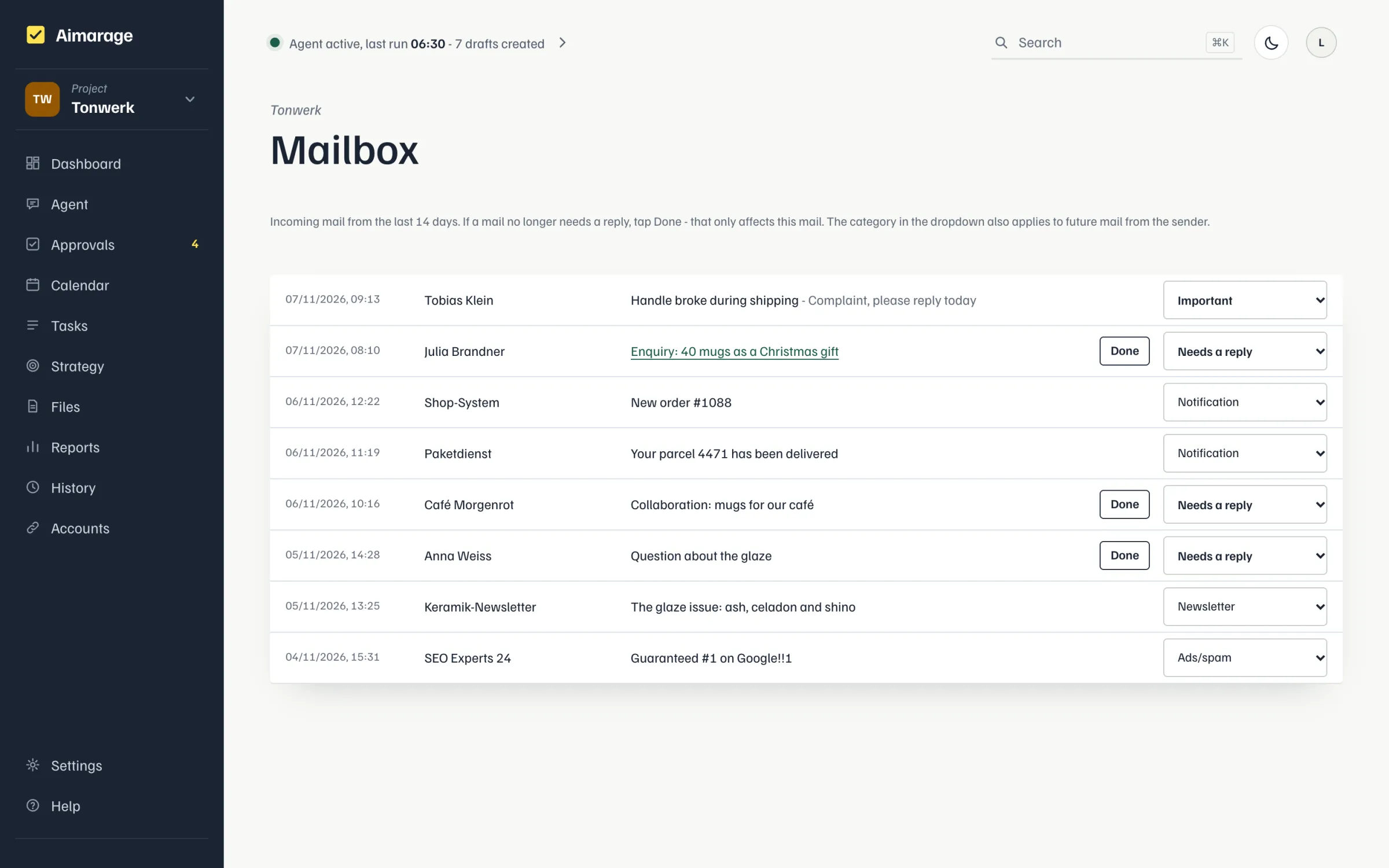
The mailbox shows received mail of the last 14 days, sorted into "Needs reply", "Important", "Notification", "Newsletter" or "Ads/Spam". Only "Needs reply" creates a reply task with a draft. If such a mail no longer needs a reply, tap "Done" in its row: this only affects that one mail, an open reply task for it is discarded, nothing is sent; "done" in the row reopens it. If you replied through Aimarage the row says "replied"; if the reply task is done or discarded, the mail counts as done. Neither counts as "needs reply" any more. Changing the category in the dropdown, on the other hand, also applies to future mail from that sender. Bulk mail from known contacts (weekly updates, requests for streams or support) is sorted by the AI as newsletter or ads, not as "Needs reply". You can also ask the agent, e.g. "the last mail at the bottom is done"; it sees the mailbox of the open page. The mailbox (IMAP and SMTP) is set up under Accounts > Mailbox. Aimarage also reads mail and data of third parties; hosted, you are the controller for this and Aimarage your processor (DPA). "Disconnect" deletes the login data, after that nothing is fetched; mail already fetched stays in the project until you delete it.