Dashboard
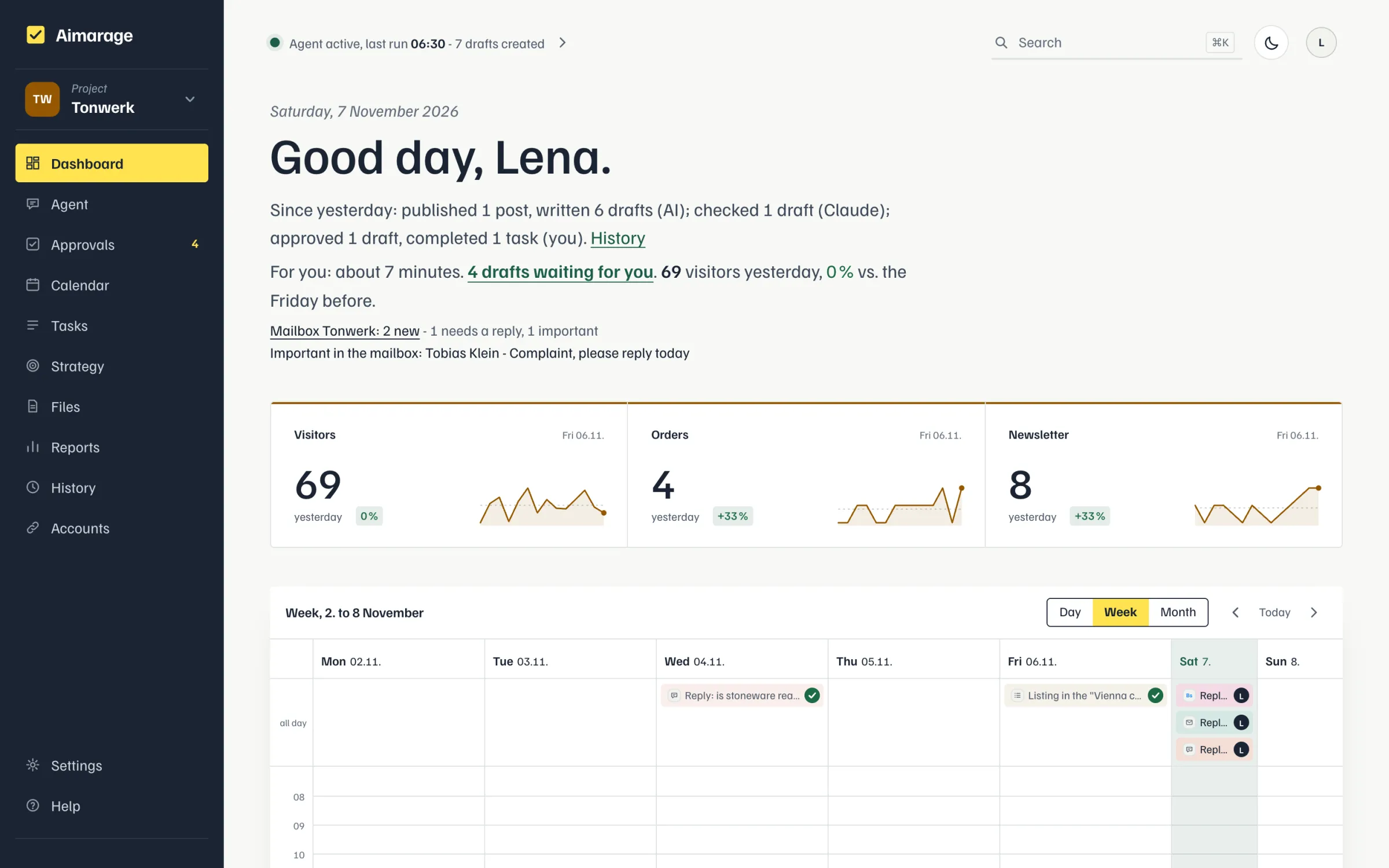
The dashboard shows what is on for you today on the "Today for you" note: the total at the top right (e.g. "about 34 Min"), below it one line per item like a to-do list (a box for what you need to do, a dot for plain info, the duration on the right, urgent items like broken accesses and overdue tasks in red; clicking a line takes you there); below it, highlighted, "The agent takes care of the rest." and what Claude and the agent handle today instead of you (e.g. "The agent handles 2 tasks today."), the "Heute dran" list, what the AI, Claude and you did since yesterday ("tasks moved" counts each task once, even if planning moves it several times), overdue tasks, goals, yesterday's numbers and new mail per mailbox. Clicking "drafts waiting for you" leads to the approvals, section "Your turn". If nothing is due today but approvals are waiting for later, instead of "Nothing for you today" it shows e.g. "Nothing due today. 2 approvals waiting for you, 1 needs info from you (next due Mon)." If drafts are with Claude right now, that is a separate sentence, e.g. "Claude is checking 3 drafts (next due Tue); whatever is not approved by its due day, you approve." The numbers are exactly those of the "Coming up" and "Claude checks" sections in the approvals, each draft counts once; a click opens the approvals with that section expanded. On weekends the line starts with "Weekend". In the approvals, drafts with "Info needed" come first. If everything is approved up to a later day, it shows e.g. "Everything is approved up to Thu 10/29." Website tasks are listed in the "Für Claude" block. If an access is broken (e.g. Google Search Console expired, a social account, mailbox, blog API, Bing), it is listed at the very top under "For you" and in "Heute dran" with a link straight to reconnecting (about 1 minute); for owners and admins. Social accounts not assigned to any project are not reported as broken. Below 10 visitors there is no percentage comparison. If the AI reviewer approved something that is not out yet, it is listed on the right under "Approved by the AI reviewer" (platform, title, time) with "Stop"; the draft is then open again.